Report
Selecting this node displays the report of the last simulation. When the report contains collisions or overtravels, it also enters the Toolpath analysis mode.
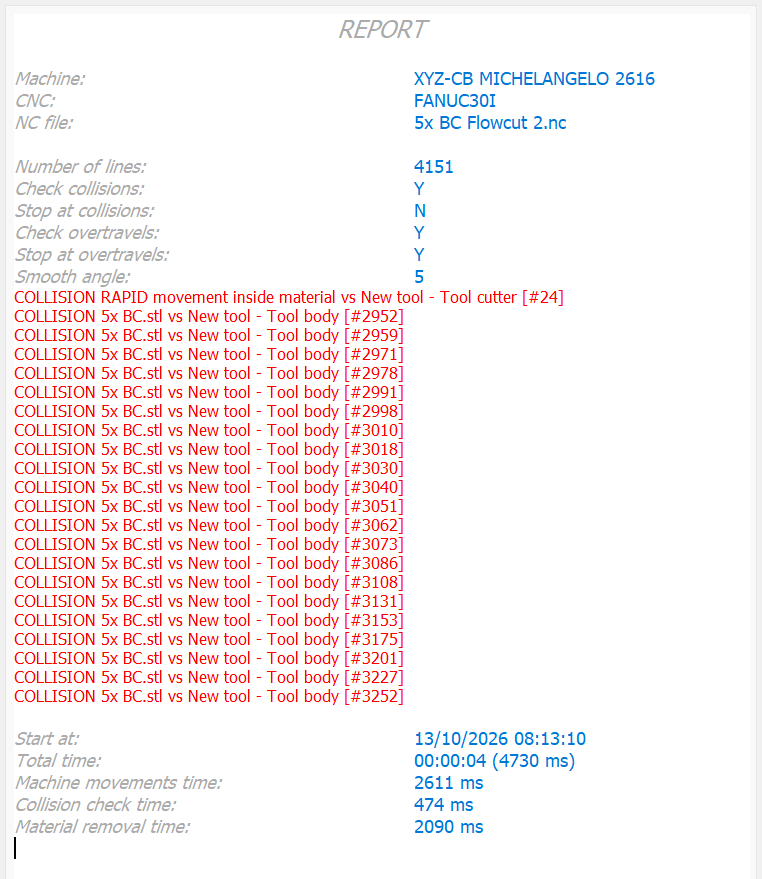
The report shows the conditions in which the simulation was carried out and any collision or overtravel found:
- the machine on which the simulation was run;
- the numerical control of the machine;
- the name of the simulated NC file and its number of lines;
- the state of the collision check and of the collision stop;
- the state of the overtravel check and of the overtravel stop;
- for every collision or overtravel found, three lines:
- the line number (and the file, for subprograms) where the problem was found, numbered from 0 like the gutter of the NC editor. Clicking this line moves the machine to that position, highlights the line and centers the 3D view on the tool tip, without changing the verified toolpath;
- the block of the NC file where the problem was found;
- the type of problem (collision between which elements, overtravel of which axis, RAPID movement inside or tangent to the material, for plunges as well as side or oblique rapid moves). For a collision between the tool (cutter or body) and a part or stock, the depth of the tool in the material is shown in brackets, for example COLLISION Part vs Tool - Tool body (1.234mm); also a RAPID movement inside the material shows the depth of the cutter in the stock. A RAPID movement tangent to the material and a tool penetration smaller than the stock resolution are written as a WARNING in orange; collisions and overtravels are in red;
- creation date and time;
- the total simulation time and the times of machine movements, collision checks (final and intermediate positions) and material removal.
Blocks before/after fails
The trackbar below the report sets how many context blocks (0–500, default 10) the  Failed toolpath view shows before and after each block with problems, counted in execution order (loops and subprograms included).
Right-clicking the node opens the following menu:
 | Print simulation report Prints the active report. |
 | Save simulation report Saves the active report. |