
Badly positioned part
A wrong work offset or a blank clamped out of place shows up at the first cut, when the part is already scrap. SPC sees it before the machine moves.

High performance, affordable price
A badly positioned part, a tool that breaks, a head against the fixture: SPC shows it to you before the first chip. It simulates your real G-code with the true kinematics of your machine and saves you scrap, tools and hours of downtime.
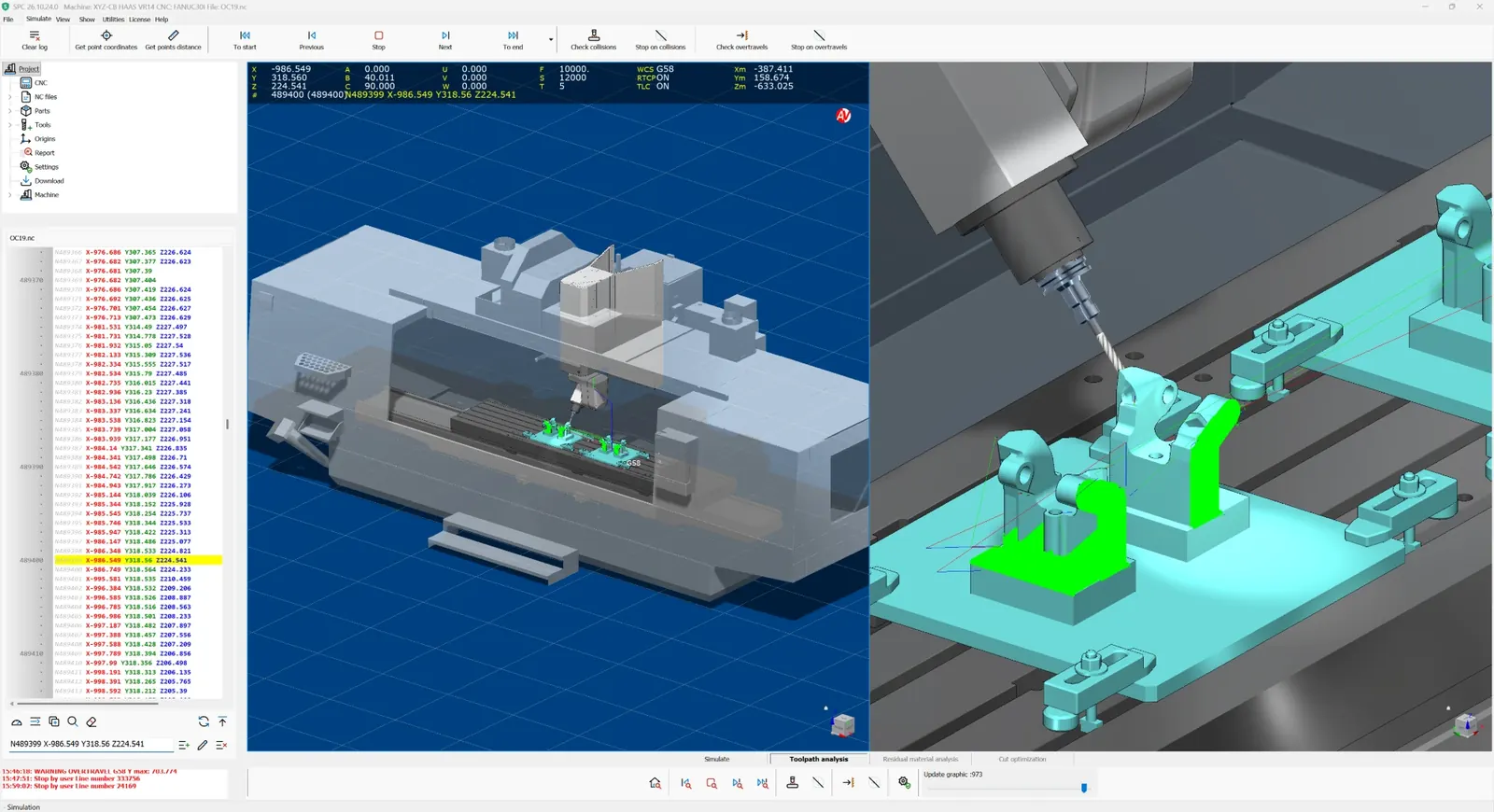
A wrong work offset or a blank clamped out of place shows up at the first cut, when the part is already scrap. SPC sees it before the machine moves.
Tool stick-out too short, holder against the wall, a rapid into the material: every broken tool means cost, downtime and often a ruined part. SPC flags it block by block.
A head hitting the fixture means a spindle to rebuild, days of downtime and missed deliveries. With SPC the collision happens only on screen, where it costs nothing.
No more dry runs, 10% override and a finger on the stop button. Programs are verified in the office while the machine keeps producing.
A spindle to rebuild, a bent fixture, a titanium blank in the bin: any one of these costs more than the simulator. SPC pays for itself the first time it stops a mistake, and from then on it works for you on every program.
It doesn't approximate the path from CAM data: it reads the G-code the machine will actually run, in your controller's dialect, with variables and subprograms, and runs it on a complete model of your machine. Professional performance, with an affordable investment.
Dedicated parsers for Fanuc 0i/30i, Heidenhain TNC 640, Siemens Sinumerik 840D/sl, generic ISO and many other controllers, with subprograms, variables and expressions. No surprises between simulation and machine.
Linear and rotary axes, RTCP, tool length compensation and G54–G59 offsets: five-axis and tilted-plane work simulated with the real geometry. Endless rotary axes take the shortest path, just as on the machine.
A high-speed detection engine checks tool, holder and heads against stock, fixtures and machine structure, across the whole program. The tool is always checked against fixtures, so a forgotten clamp never slips through.
Realistic material removal: see the finished part after every operation, with sharp edges and fine detail, not just where the tool passes.
3D views in wireframe, hidden-line or solid, with graphics-card acceleration for collisions and material removal. Section views along X, Y, Z or the tool axis, a navigation cube, a split view with two independent cameras and the tool's view beside the main one. Per-object transparency and a highlighted active object keep complex setups readable, and large projects open quickly.
An NC editor with syntax highlighting for every dialect, synchronized with the 3D simulation: find the mistake, fix it, run again.
A library of flat, ball, bull-nose, tapered and lollipop cutters with custom holders and a 3D preview, plus a wizard that sets up the machine's kinematics, travel limits and geometry. Move and rotate parts, fixtures and stock directly in 3D: they stop on contact.
Collisions, overtravel and statistics per tool and per offset, with distances and times: every verified program is also a documented one.
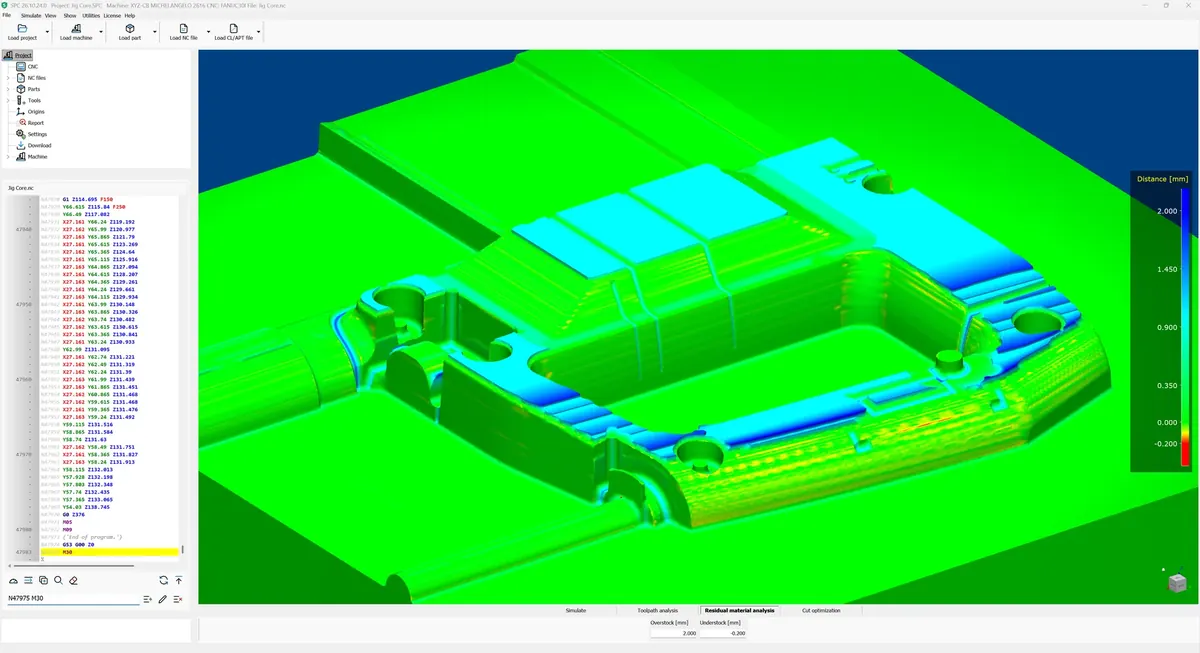
Residual material analysis compares the machined stock with the part model and colors it by distance: green where they match, blue where material is left, red where the tool cut too deep. You set the thresholds in millimeters and see at a glance where a finishing pass is missing, before the part goes to inspection. Optional feature.
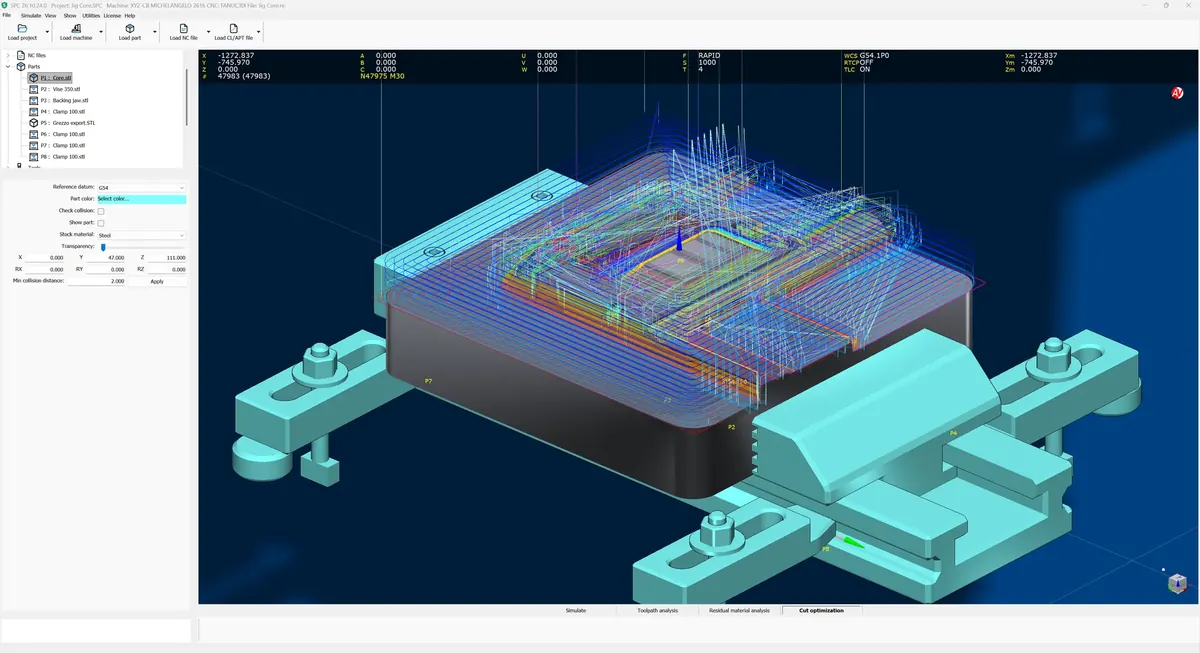
Cut optimization starts from the material you machine and the tools in the program and proposes cutting speed, feed per tooth and removal rate for each tool, within the spindle's limits. One click writes the new F and S straight into the program: more productive cycles, with each tool working within its limits. Optional feature.
Your machine, your part, your G-code: all on one screen.
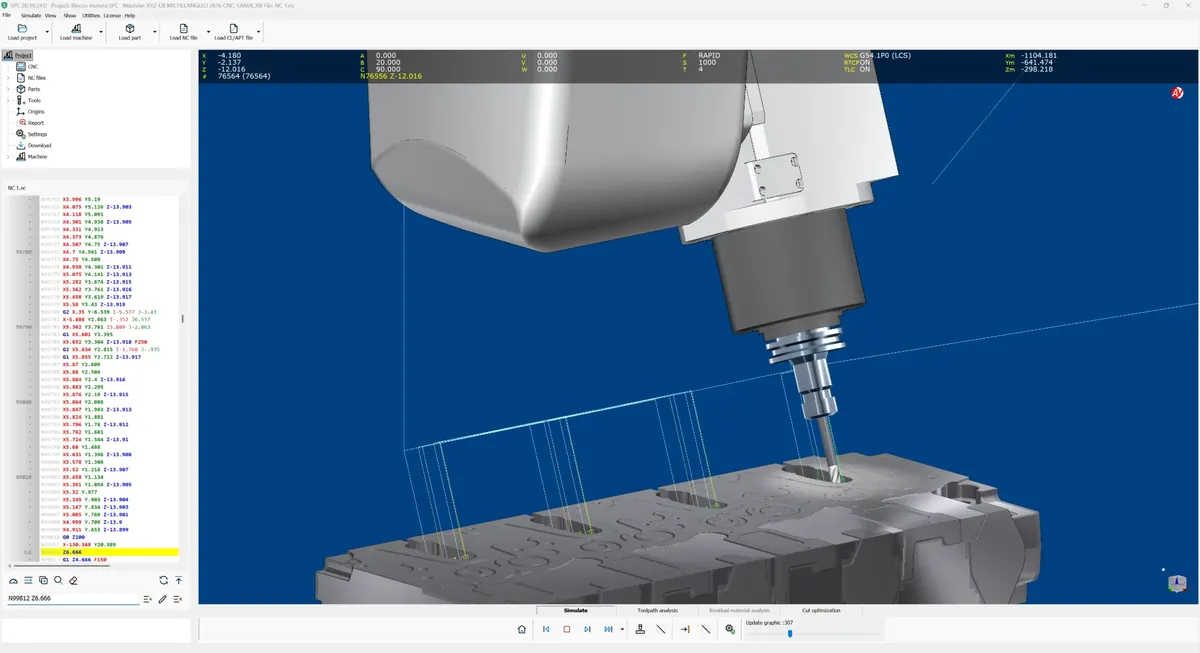
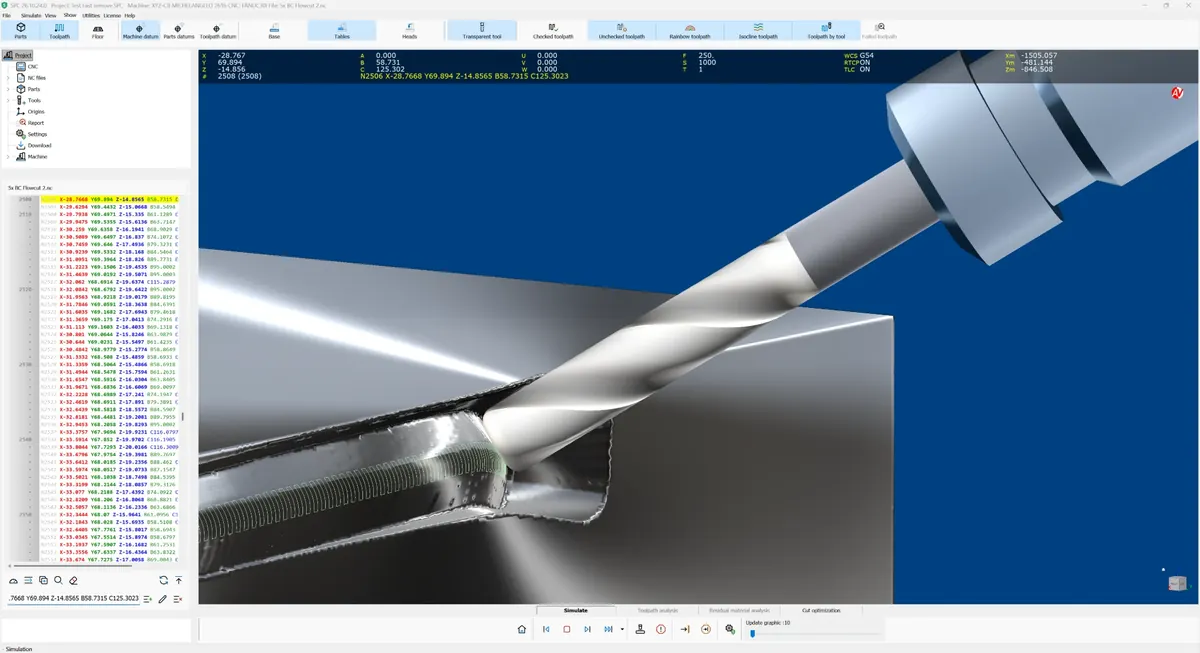
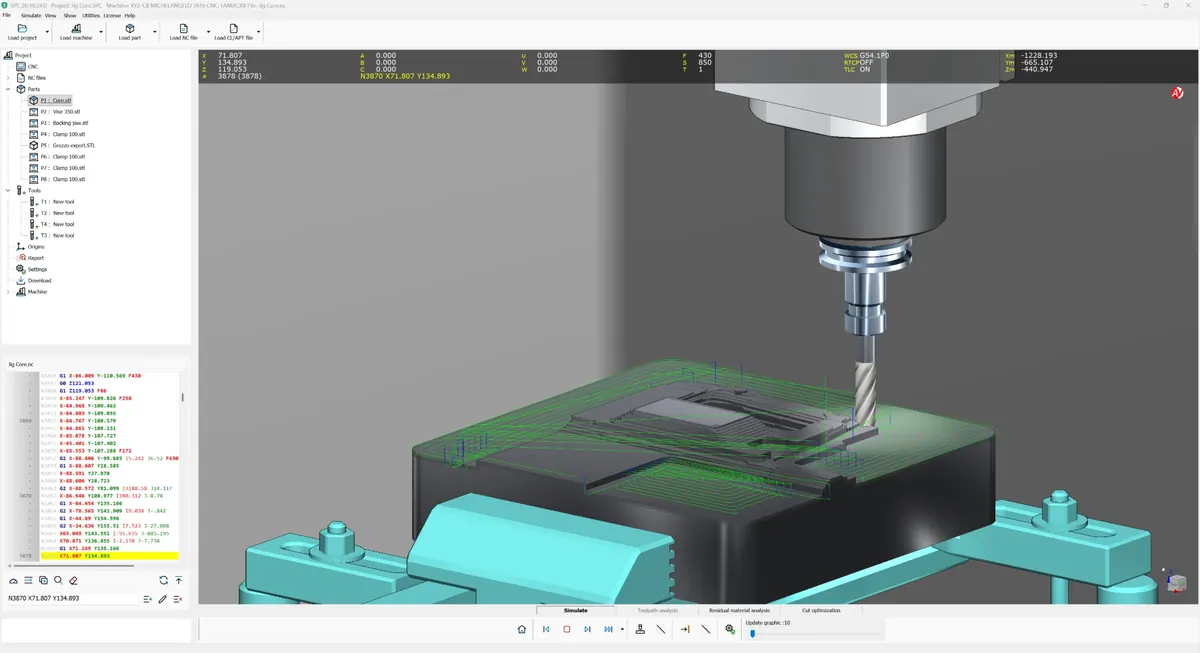
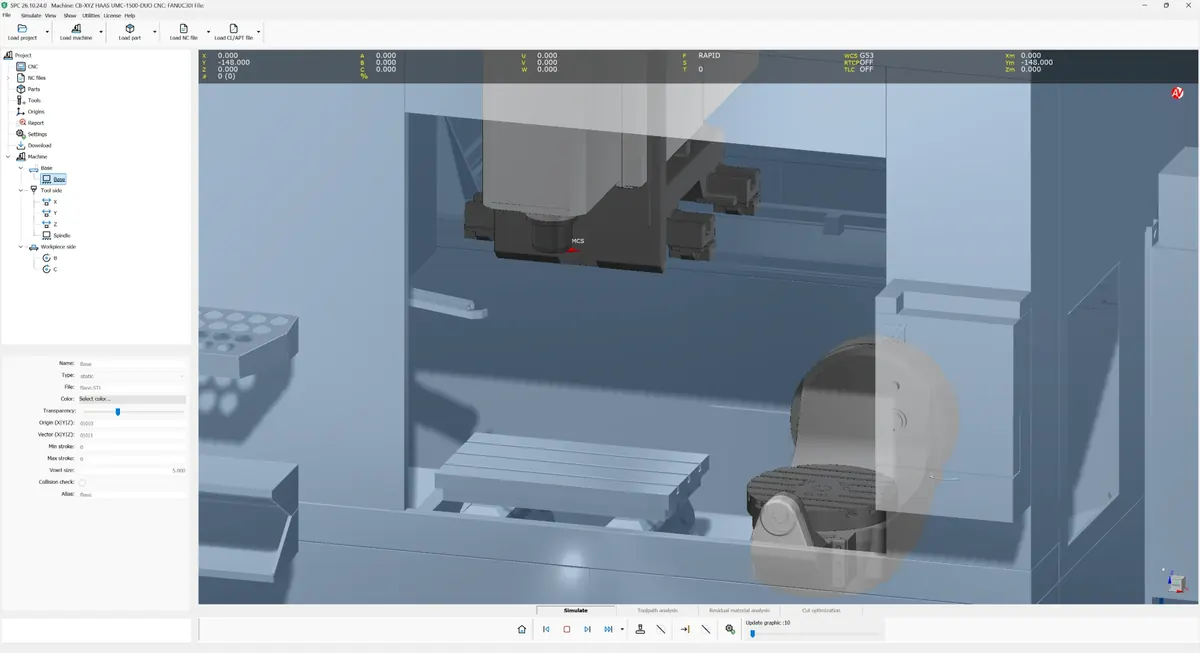
SPC launches SPP on the CL/APT file, waits for post-processing and loads the G-code straight into the simulation, with the tools of the CL file already defined. One step, no copy-paste, no transcription errors.
Discover SPP →Download it and try it free for 30 days on your own programs. Got a difficult part, with tilted planes and nested subprograms? Send it to us: we'll simulate it for you.

Customizable, powerful and fast
SPP turns your CAM output into clean, correct G-code for your machine and your controller: Fanuc, Heidenhain, Siemens Sinumerik or any other controller. No hand edits, no transcription errors, no programs to fix at the machine.
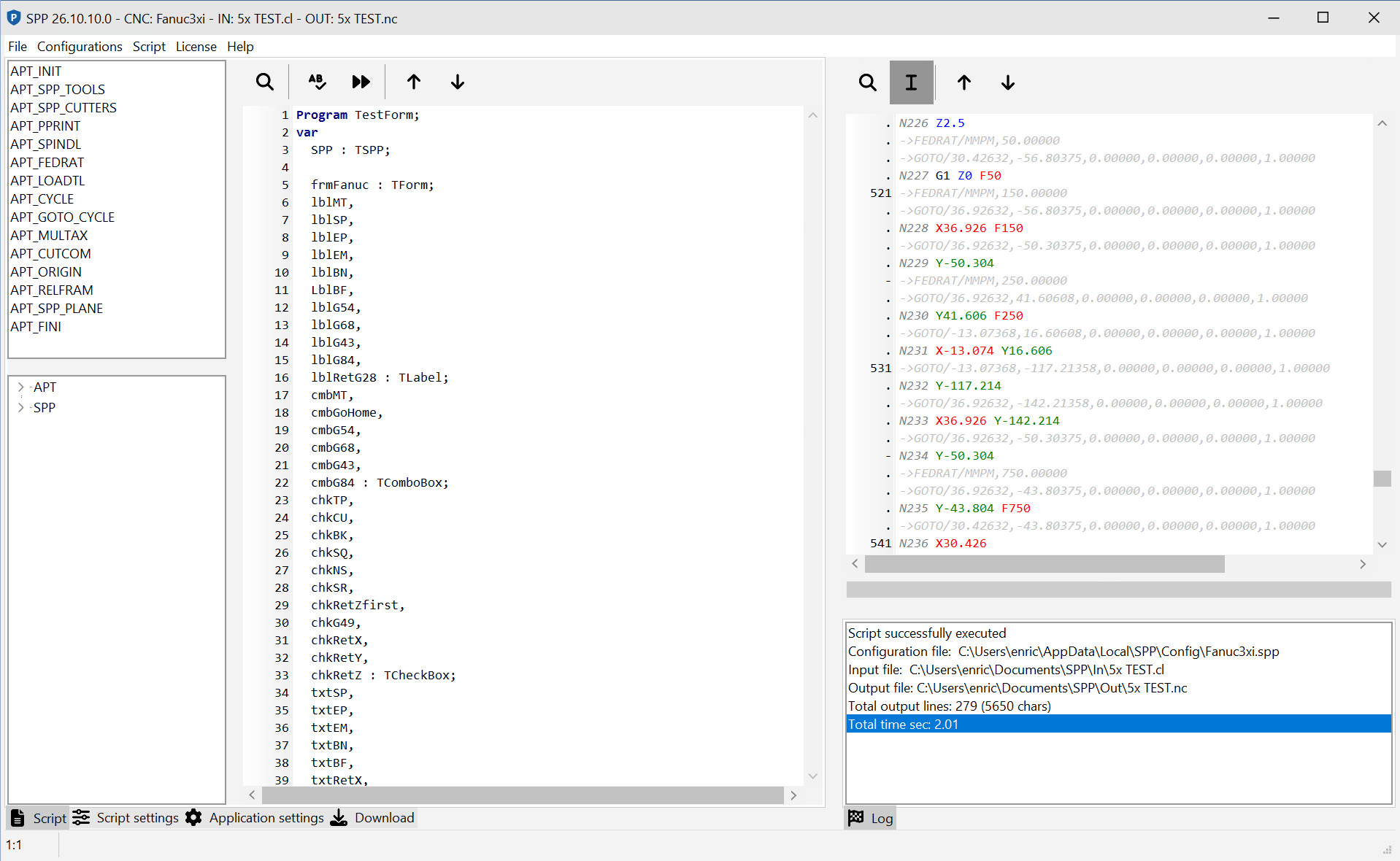
Every manual fix to a program is a mistake waiting to happen. SPP generates the right code for your controller, so only what you programmed reaches the machine.
New machine, new controller, a new customer request: with a rigid post you wait for weeks. With SPP you edit a configuration file and you're running again in an afternoon.
Drilling, tapping, tool changes and coolant written the way your controller expects them. A wrong cycle no longer breaks a drill.
SPC takes SPP's G-code and simulates it right away: you find the mistake in the office, not on the first part.
Every machine is a configuration file: kinematics, number formats, address letters, G/M codes. The logic is an embedded script you can read and change. When a cycle needs a special block, you change the script, not the software.
The result: one tool for every machine in the shop, programs ready without hand edits, and new machines in production in hours instead of weeks. Professional performance, with an affordable investment.
Every machine is an .spp file with kinematics, axis travel, formats and G/M codes. A new controller variant is a new configuration, not new software.
The post-processing logic lives in a readable script. Any APT command can be overridden by a function of the same name: you decide how your machine behaves.
GOTO, ARCMOV/ARCDAT, CYCLE, RAPID, LOADTL, SPINDL, FEDRAT, COOLNT, MULTAX, TOOLNO and much more: the full APT/CL vocabulary.
Spot drilling, deep drilling, tapping, reaming, boring and chip breaking become the right canned cycle for your controller, with no G-code assembled by hand.
Plane analysis groups moves sharing the same tool axis into consistent working planes and collects the part's extents and tool usage: the foundation of clean 5-axis output.
Breakpoints, step-over, step-into and a watch panel with tool position, active codes and kinematics: you develop the post like a program, not by trial and error.
SPP.exe runs unattended with configuration, input and output as arguments: launch it from your CAM's post button, from a script or straight from SPC.
Output formatting, G/M codes, canned cycles, kinematics and 4x4 matrices, tool data, string, math and vector functions: the script has everything it needs.
SPP's G-code is exactly what SPC simulates. SPC launches SPP on the CL/APT file and loads the result, together with the tool list of the CAM program, into a 3D verification: from CAM to machine with no manual steps and no surprises.
Discover SPC →Tell us about your machines and controllers: we'll show you SPP at work on your own CAM output.

Maximum flexibility, minimal management
A pool of network licenses shared by SPC and SPP: whoever needs one takes it, whoever is done releases it. Zero dongles, zero idle licenses, zero time wasted.
CAM programmer, machine operator, second shift: they share the same seats. You buy the ones used at the same time, not one for every PC.
No hardware keys to move, lose or break. Every workstation on the network connects to the server and gets to work.
A crash, a network drop, a PC switched off: the seat becomes available again on its own within seconds, without calling anyone.
A lightweight Windows service with no database: install it once and forget about it. A restart never leaves sessions stuck.
A shop doesn't need one license per workstation, idle most of the time. It needs the right number of concurrent seats, available to anyone on the network and released as soon as someone closes the program.
LM - License Manager does exactly that: a seat released at 9:00 is available to a colleague at 9:01. Fewer licenses to buy, no administrator to bother.
Network seats cover most shops. For everything else there are two more ways to license SPC and SPP.
Visiting a customer, working at the machine or from home? Borrow a seat from the server for the days you need: SPC and SPP keep working with no network connection. The seat stays reserved for you until you return it or the loan expires, then goes back to your colleagues on its own. The administrator decides the maximum length of a loan.
A single PC, or a workstation that never sees the shop network? A stand-alone license enables SPC or SPP on that computer only, with no License Server to install. Send us the computer code shown in the License window and import the license file we send back.
A single server provides a configured number of simultaneous SPC and SPP sessions to the whole network. No license files to manage PC by PC.
Each license is tied to the server and issued for specific products, seats and periods: clear entitlements, under control.
Clients check in at short intervals. If a session drops, its seat is reclaimed within seconds.
For products that offer one, the server automatically grants a trial period when no valid license is found: evaluate right away, with no paperwork.
Users are warned before a license expires: renewal gets planned instead of stopping production on a Monday morning.
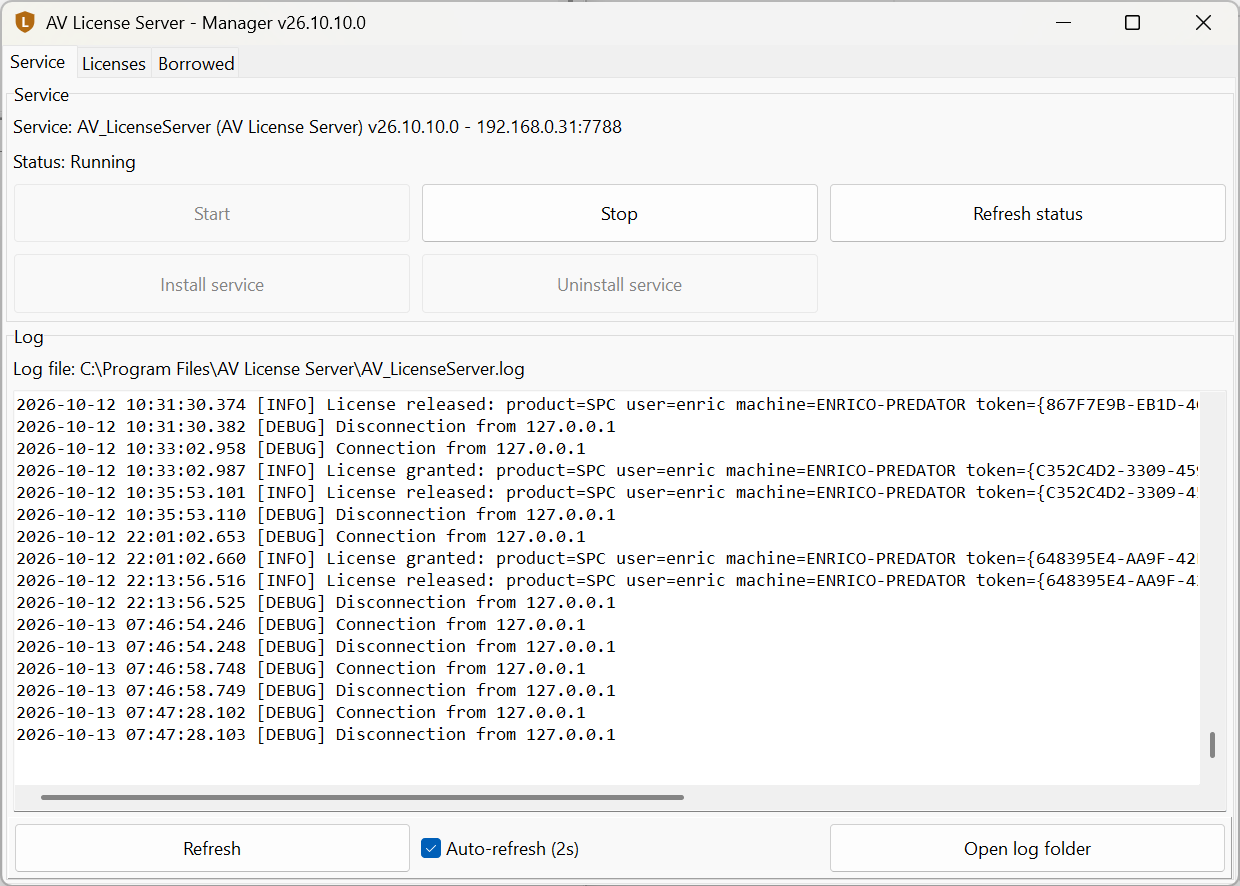
A graphical manager to start, stop and monitor it, with a live log. State lives in memory and rebuilds itself: no database to maintain.
The same instance covers SPC and SPP: all your licenses in one place, instead of separate licenses for verification and post-processing.
Discover SPC →Tell us how many people use SPC and SPP and how many work at the same time: we'll propose the right license, with no seats you don't need.