Graphic User Interface
SPP's window is split into two independent panels, each with its own row of tabs.
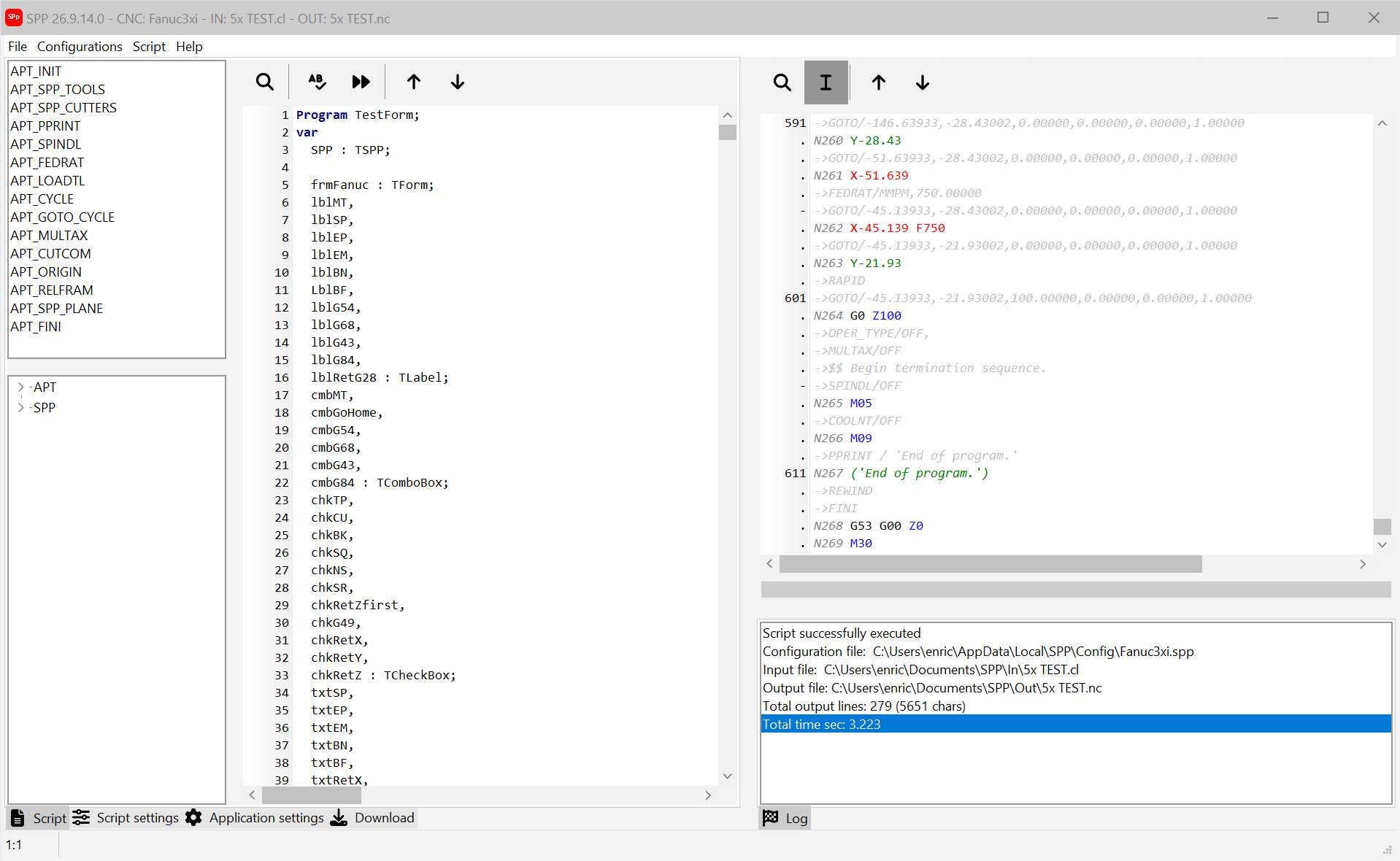
- Left panel — tabs:
 Script,
 Script settings,
 Application settings,
 Download. The Script tab is where the configuration's Pascal script lives, together with the list of
APT_*functions it defines and, once you hit a breakpoint, the variables watch tree. - Right panel — the APT/CL trace editor with its toolbar, a progress bar, and a single
 Log tab underneath. This is where the parsed input and the generated G-code output appear as the script runs.
The title bar always shows the current version, the active configuration and the input/output file names. A status bar at the bottom of the window reports build information.
The main menu (File, Configurations, Script, License, Help) gives access to every command available in the two panels, plus the commands that don't belong to either — loading files, saving configurations, script debugging and the network license.